

Viewing
Attached documents are listed in the Attached Documents section and these can be opened by clicking the corresponding View Document icon
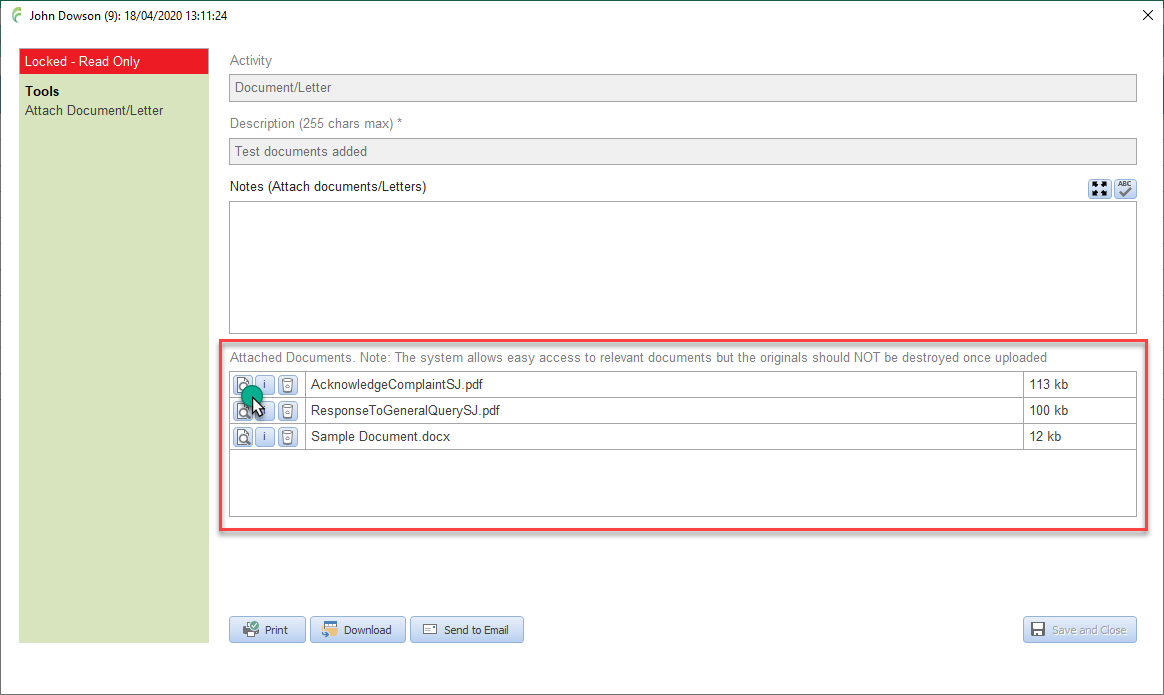
Most activities are locked from edit at the time they are saved and this is indicated by the red Read Only label above the side bar menu
There are some exceptions including Reporting to external bodies. These activities, which are accessed from within the relevant investigation forms, remain editable, until the form has been been appropriately approved (signed)
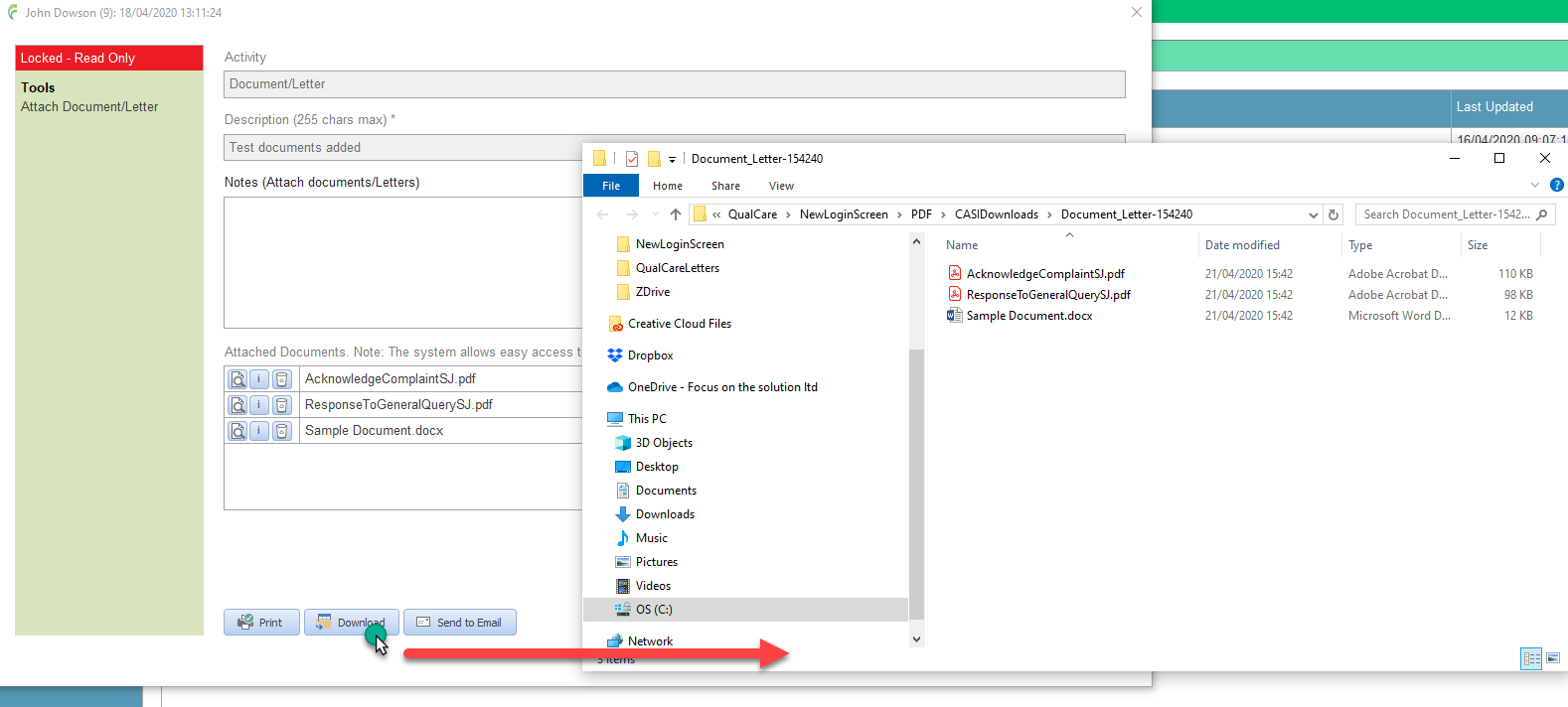
Download
Downloads all documents associated with an activity to a temporary folder
Click Download in the bottom tool bar
Note that the temporary download folders are deleted when you sign out of QualCare or QualCare is closed down
Send to Email
Attaches all documents from an activity to an email (note that this tool needs Outlook to be installed and available on the PC being used)
Click Send to Email in the bottom tool bar
Select the recipient from the pop up list or simply select send to blank email
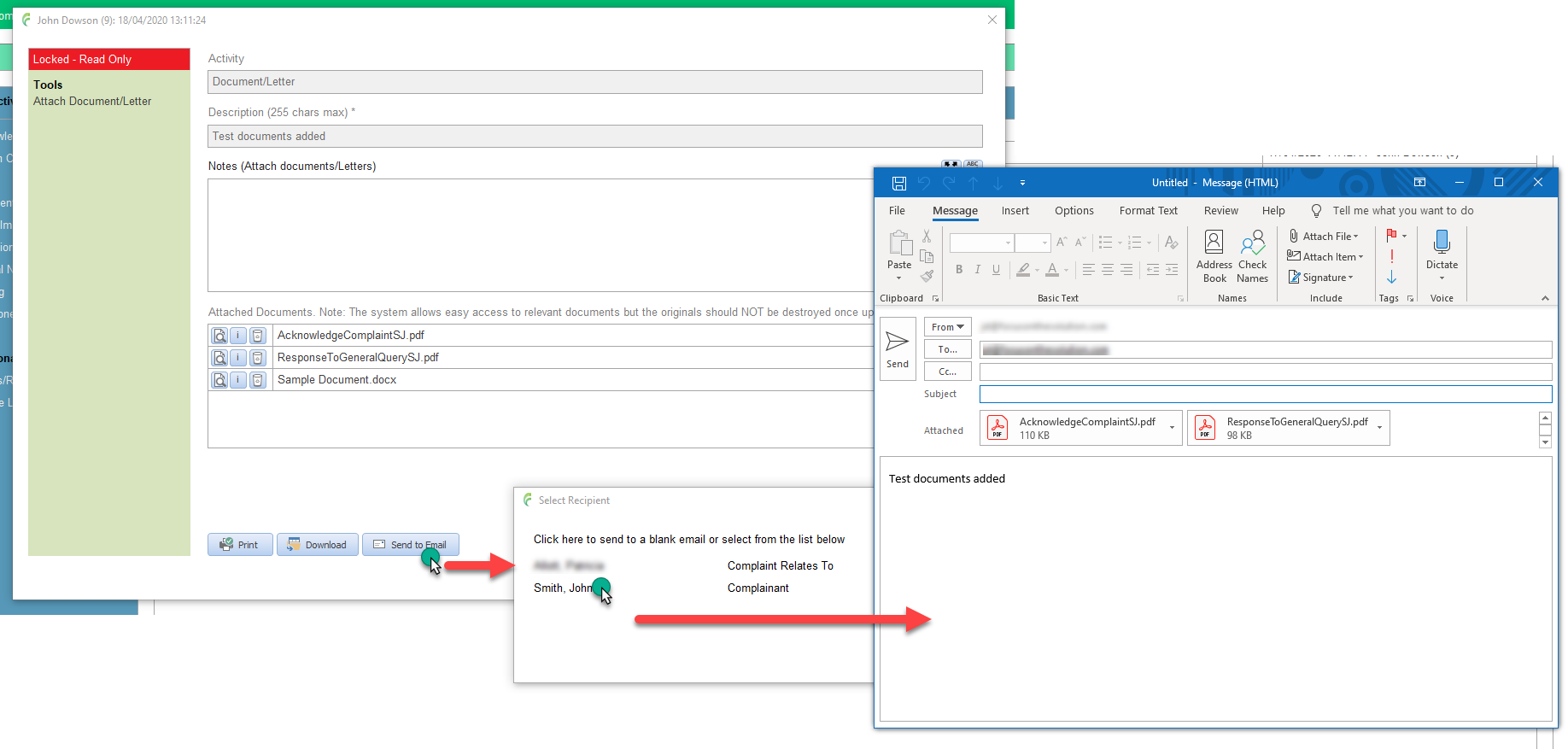
An email is created with the documents are attached to it
Complete the email as required
Remember that any email relative to an incident should be recorded using the appropriate activity such as Email (import)