
ORGANISATIONS
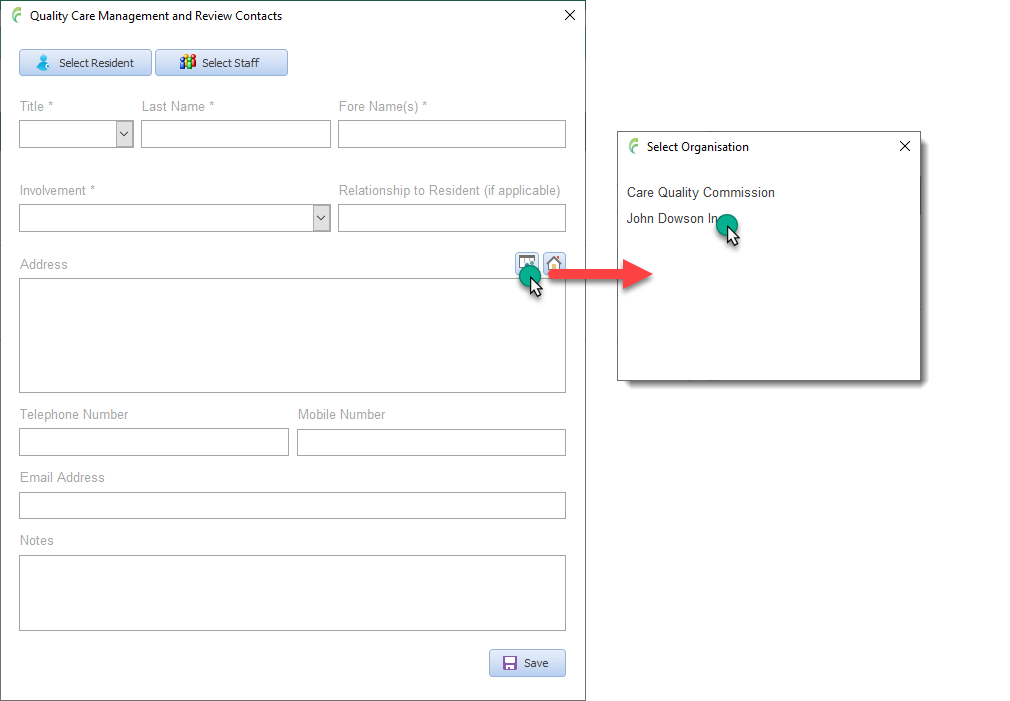
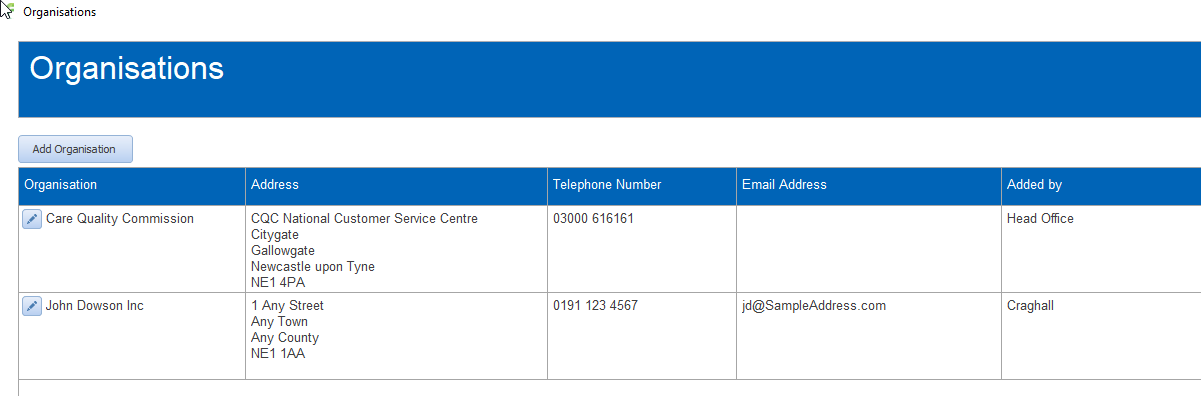
Commonly used organisations can be added to the system so that they can be used to quickly fill in contact details. For example, the Quality Care Commission
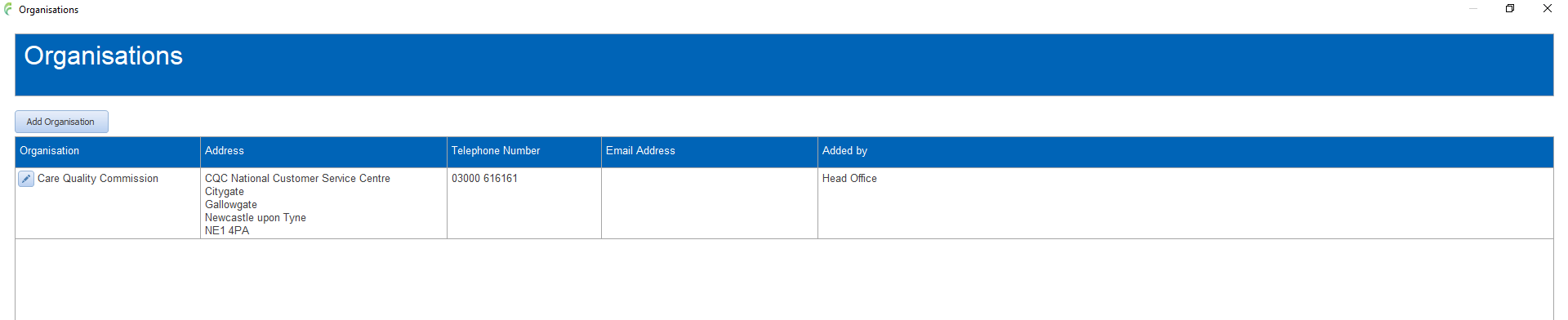
Organisations added to the system will be visible and available for all users to use, however, you can only edit an organisation that has been added from the same operational home as your user account
To access, click Manage Organisations in the CASI dashboard
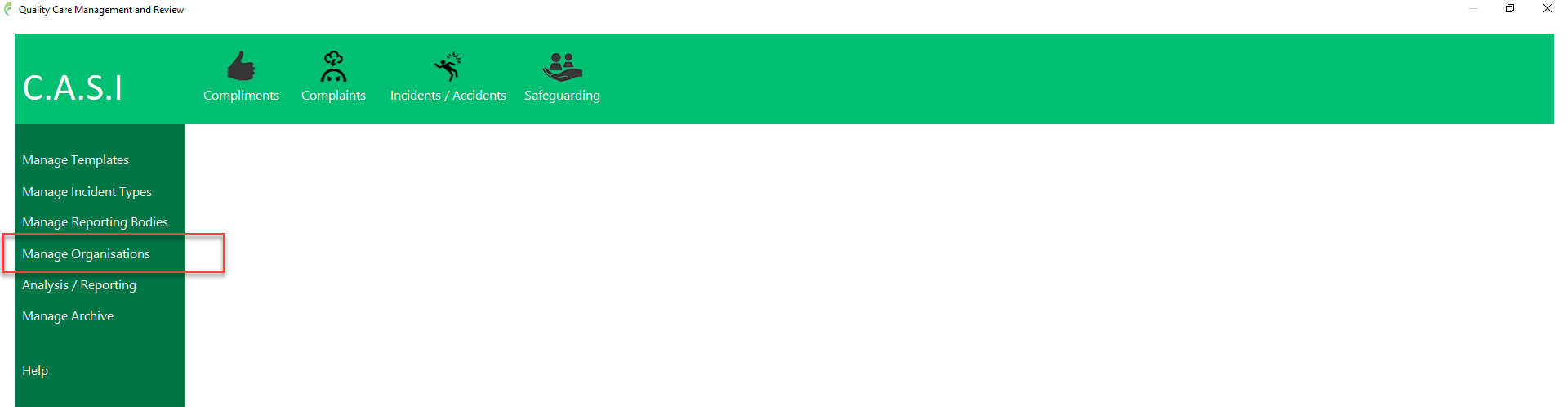
to open the Organisations list
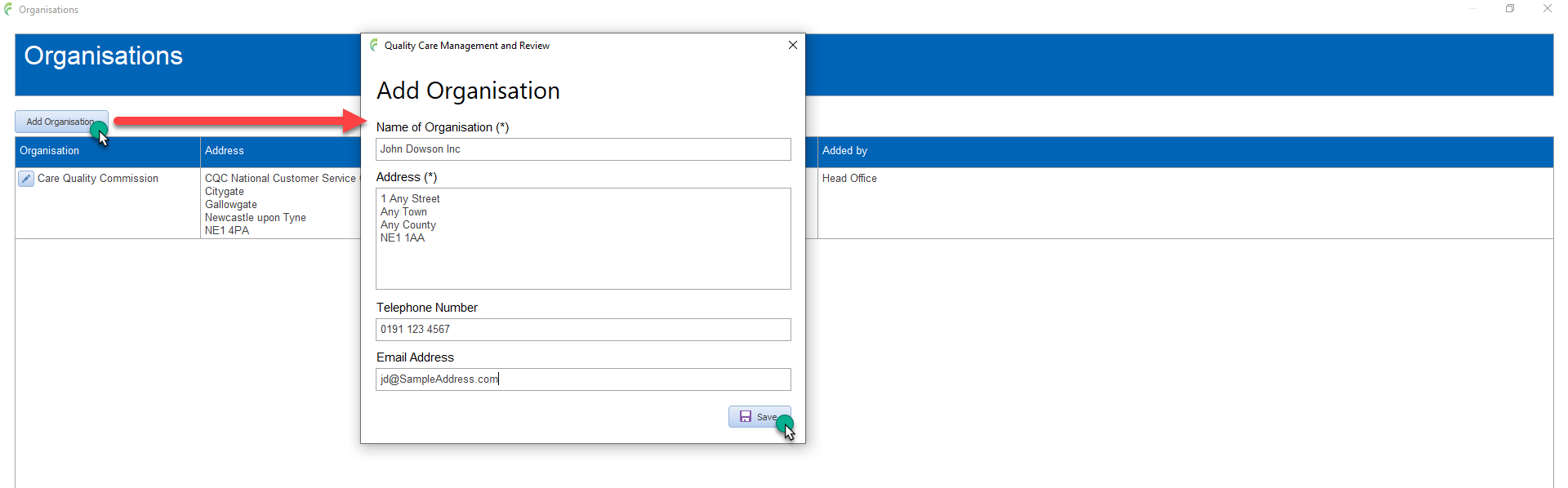
Add a new organisation
Click Add Organisation
Fill in details for the organisation
Click Save
The organisation is added and appears in the list.
Edit an organisation
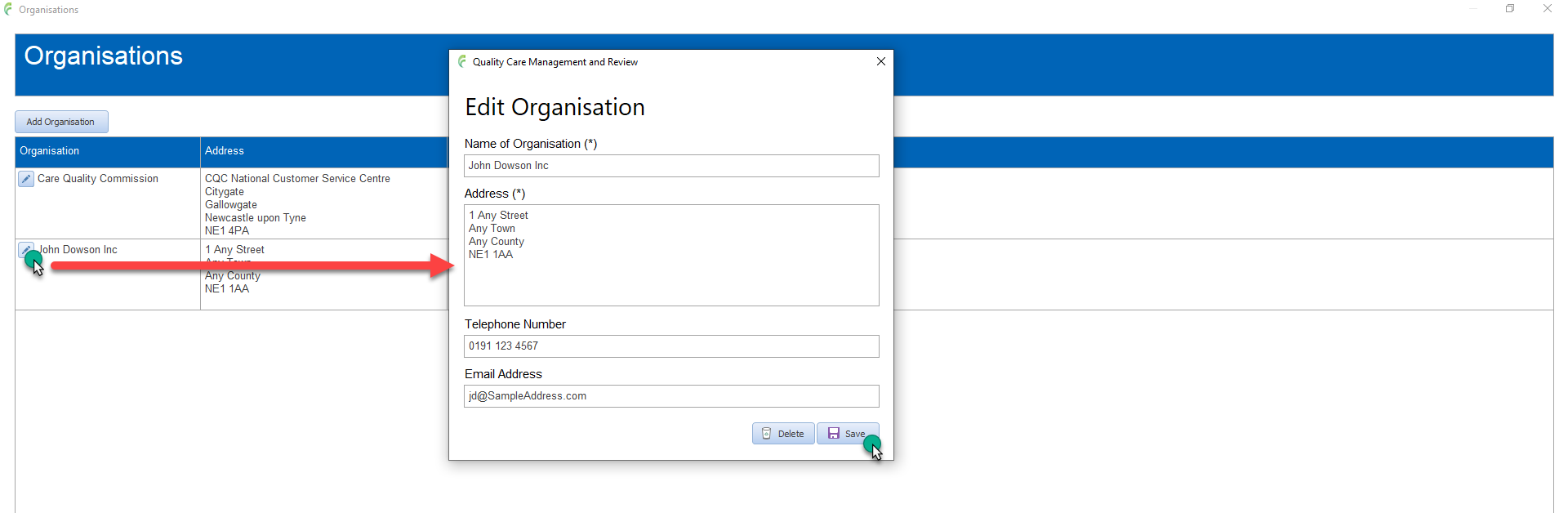
Only organisations added by the same operational home can be edited
Click the pencil edit button next to the organisation to edit
Make the appropriate changes
Click save
To use an organisation
When adding or editing contact information for example an involved party etc, click the Organisations button to pop up a list of available organisations to select from
Select the required one from the list to populate the address fields etc