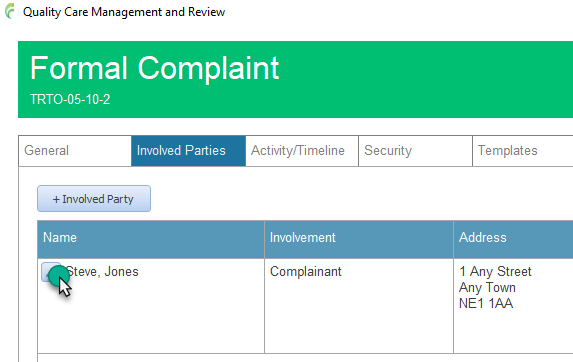

INVOLVED PARTIES
Anyone connected to an incident should be listed in the Involved Parties section
ADD PARTY
Open the incident.
Click the involved parties tab.
Click the + Involved Party button.
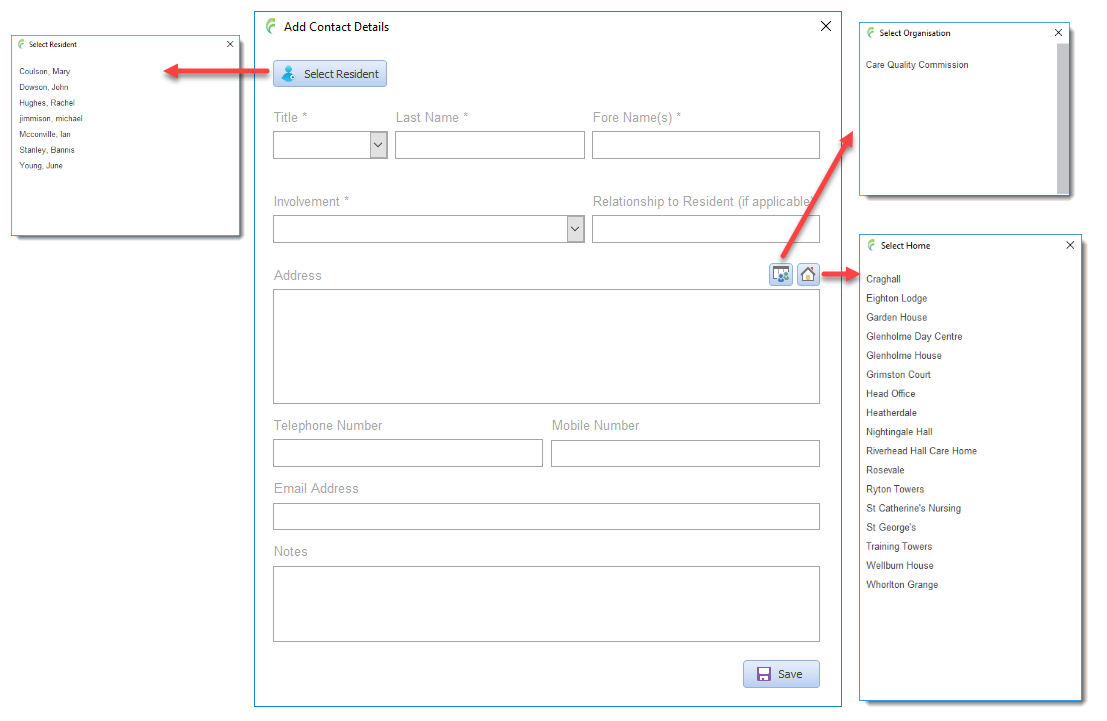
If the person is a resident, click Resident and select from the list to populate the information fields.
If the person is from a listed organisation, click Organisations and select from the list to populate the information fields.
Otherwise, enter the information manually – the address field can be completed from the list of existing Care Homes by clicking the Homes button and slecting from the list.
Click save when complete
EDIT PARTY
Open the incident.
Click the involved parties tab.
Click the pencil edit button next to the contact to change.
Make the required changes and then click save.