
NOTES
Once a key stage activity has been marked as complete it can no longer be edited, similarly, once a general activity has been saved, it too, can no longer be changed.
Although the actual content cannot be changed, it may be necessary and useful to add a note to the activity.
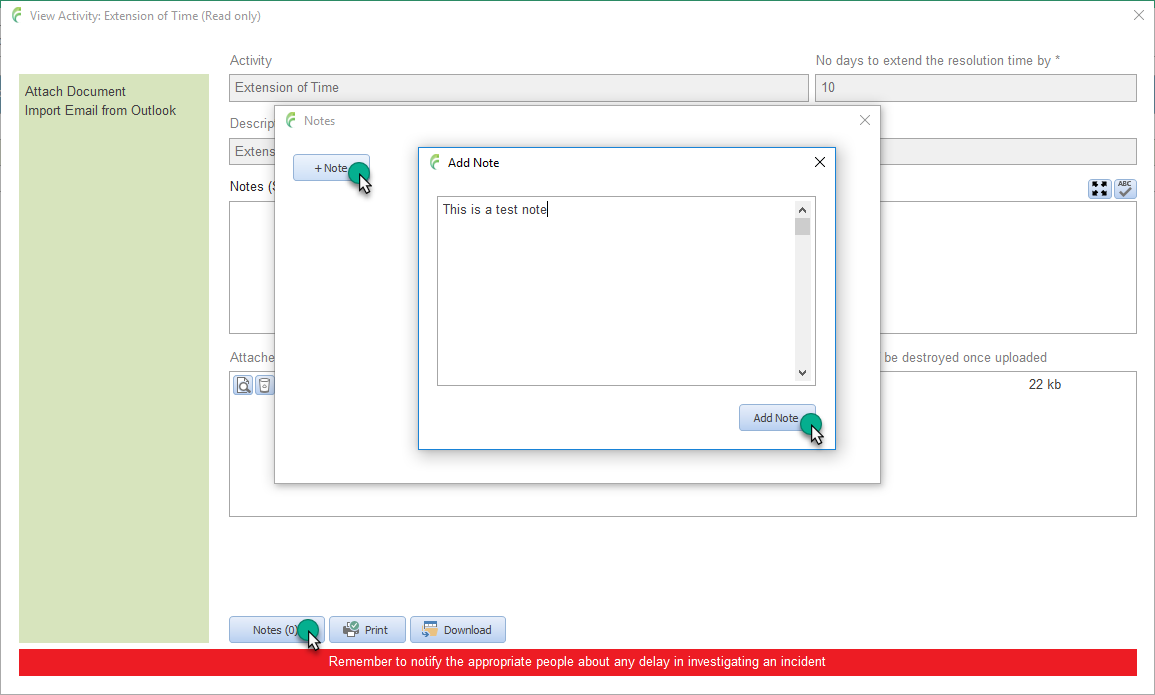
Open the activity you want to add a note to.
Click Notes in the bottom tool bar.
Any existing notes are listed and can be opened by clicking double clicking the required one.
Click + Note
Enter required notes.
Click Add Note button.