

ADD A SAFEGUARDING INCIDENT
In the CASI dashboard, click Safeguarding.
Click Add Safeguarding Incident.
Make sure that the correct Home is selected.
Set the date and time of the incident.
Click in the Resident field and select the relevant one from the list. If the incident does not relate to a resident, click Not Applicable instead.
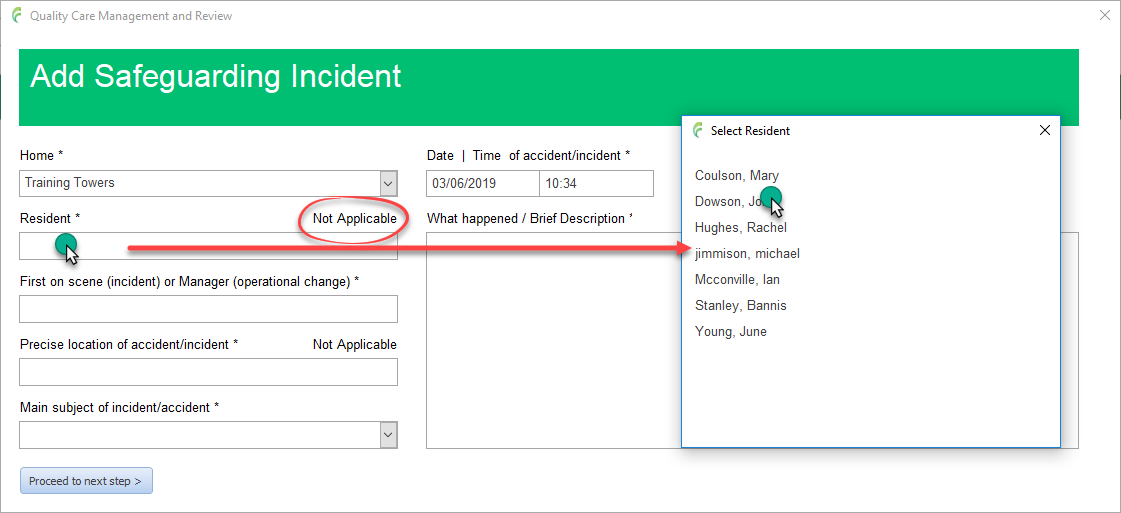
Click in the First on scene field and complete the details.
The address of a home can be selected from a list by clicking the Homes button as shown.

Enter the location of the incident or click Not Applicable if appropriate.
Select the main subject of the incident. Note that more sub categories can be selected later if the incident relates to more than one.
Enter what happened/brief description relating to the incident.
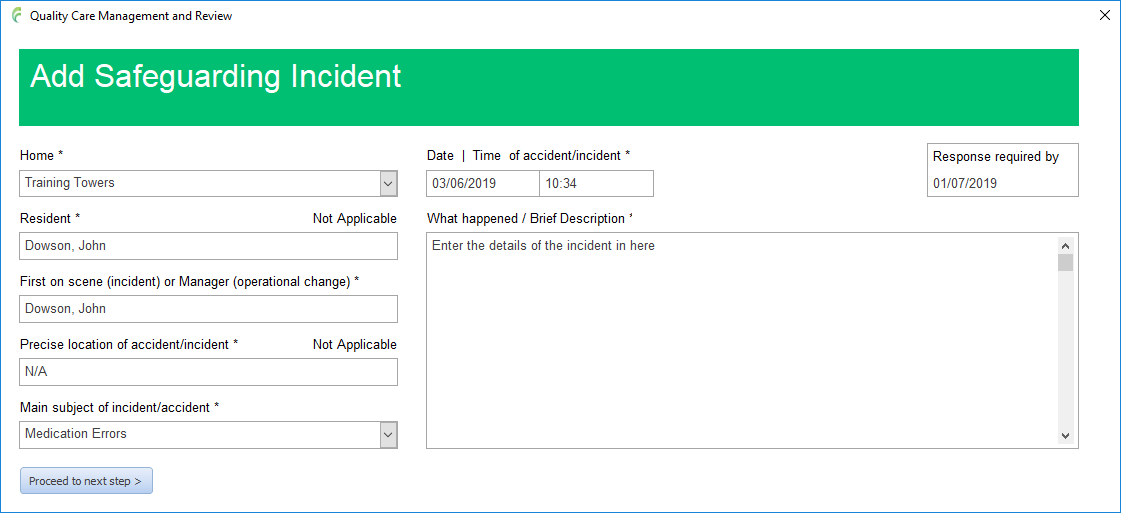
With everything completed, click Proceed to next step which adds the incident to the system.