

CREATE LETTER
This tool helps you to quickly create letters using a standard list of templates, customised to a selected recipient.
In the Complaint management window for the complaint, click on the Activity/Timeline tab.
The tool is located in the left hand menu under Additional Tools and opens the Create Letter window

The tool is also available in the Complaint investigation form
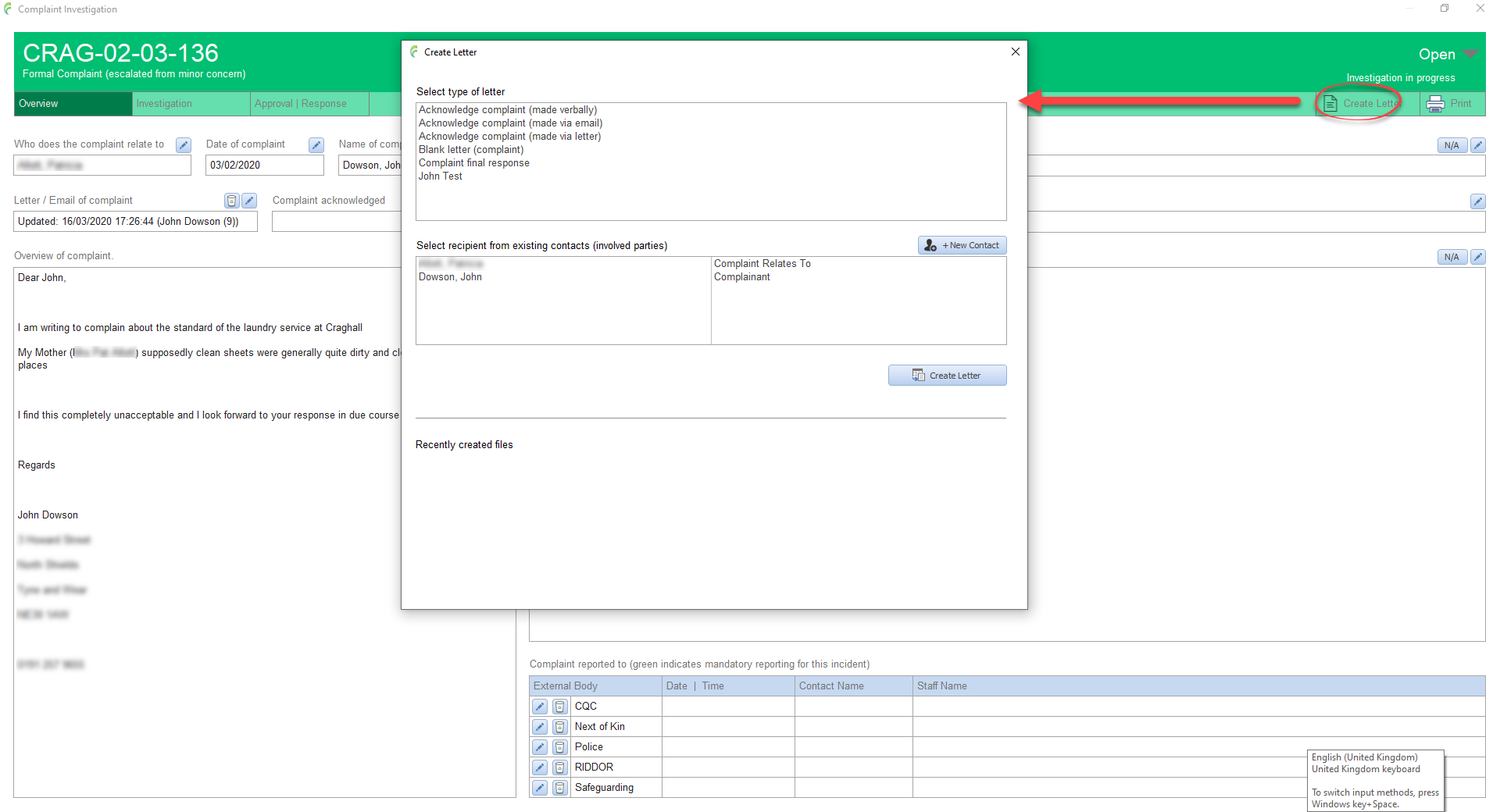
Select the required letter type from the list. The standard list of letter templates is managed by Head Office
Select the required recipient for the letter from the list. If the required person is not in the list, a new contact can be added by clicking the + New Contact button and filling in the details.
Click Create Letter
The File Save window opens. CASI defaults to saving newly created letters in a folder named QualCareLetters. It also names the letter automatically based on the incident reference, the type of letter selected and the initials of the recipient. You can of course, change the file name if desired.
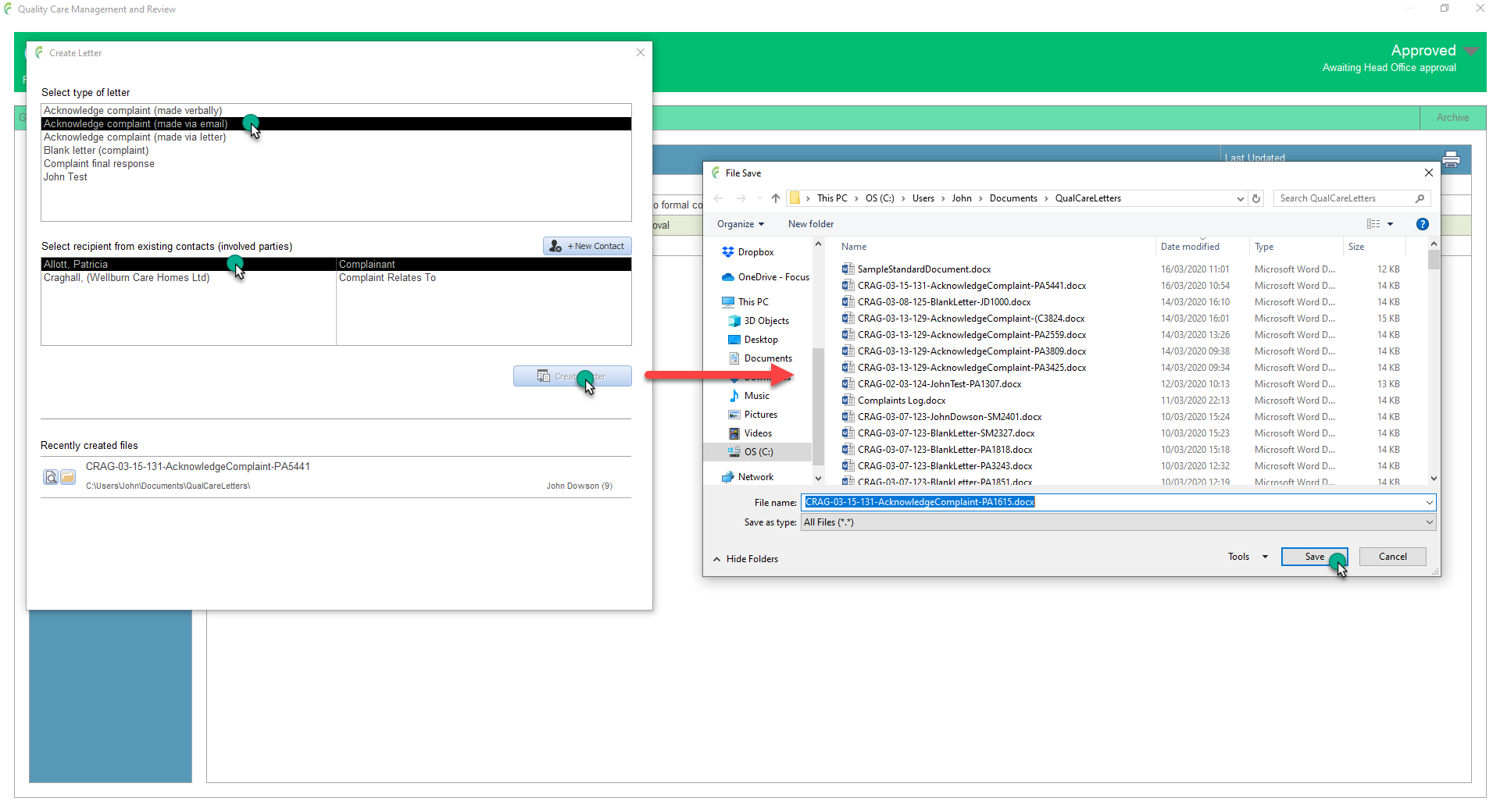
After a few moments, the created letter will open ready for you to complete.
Back in the Create Letter window, you will get confirmation that the letter has been created and the newly created letter is shown in the Recents list at the bottom.
Recent letters can be opened by clicking the open document icon (magnifying glass) which gives a useful and fast way to edit documents that have yet to be finished.
The open file location icon (the folder) locates the file on the computer system and opens the appropriate folder

Note: The Recently created files list only shows letters created on the computer that you are currently using and for the incident currently being viewed.
Also, the list does not show letters that were created more than two months ago (regardless when they were last edited). The system does not delete the actual letter, it just does not show in the Recently created list